
AI Coding
Claude Code or Codex: Which Tool Gets Which Task
Before a team uses AI to write code, it should know what kind of work Claude Code and Codex each suit. Local tasks where a person watches and edits go to the terminal tool. Tasks with clear acceptance checks go to Codex Cloud. Codex can review PRs. Use the two together and keep the rules in one place.

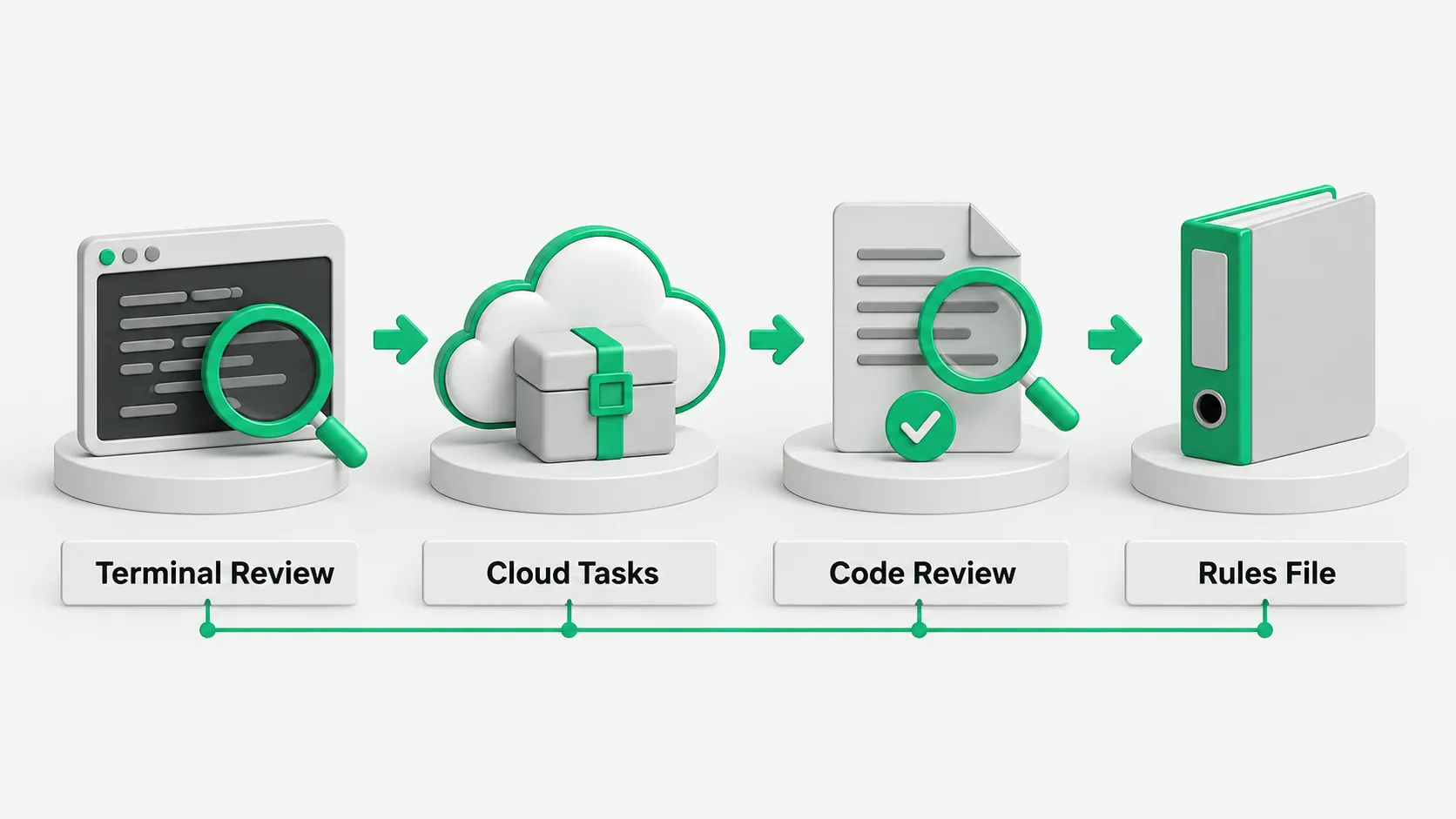
When you split coding tasks between tools, first ask whether a person needs to stay in the current window. Claude Code and Codex divide the work clearly. Local tasks where a person watches and edits go to Claude Code. Work with clear boundaries that tests or check results can accept, and that you can hand off and wait for, or a PR to review, goes to Codex.
How to hand off local work you watch and edit
For changes across several files, pick Manual or acceptEdits mode first. Claude Code runs in the terminal, IDE extensions, and the desktop app. It reads the repo, edits files, and runs commands. In Manual mode, the tool stops to ask before most file edits, shell commands, or network access. For routine changes, switch to acceptEdits mode, which auto-approves file edits and common file commands in the working directory.
For unfamiliar code, switch to plan mode first. Start with claude --permission-mode plan or press Shift+Tab to switch. It only reads and proposes a plan, blocks source edits until you approve, and on approval lets you choose to review each change by hand. Write instructions in CLAUDE.md and keep it under 200 lines, for example “run npm test before committing.” It is context. To block an action no matter what, use a PreToolUse hook. For technical enforcement, use permissions.deny. For non-interactive runs, use claude -p. In auto mode a classifier model reviews actions. Use bypassPermissions only in an isolated container or virtual machine.
How to give Codex work you can hand off and wait for
Hand tasks with clear boundaries that tests or check results can accept to Codex Cloud, which runs them in the cloud. Pick a GitHub repo, set up a cloud environment, and install dependencies. Each task then gets its own workspace and keeps running while your computer sleeps. In day-to-day assignment, this is where Claude Code and Codex differ: with the first, a person stays at the local machine watching and editing; with the second, the task runs to completion in a cloud workspace and comes back for acceptance.
When a task is done, a person reviews the changes and check results, can ask for more changes, and commits or opens a PR when ready. In scripts and CI, codex exec prints results to standard output for other tools to consume. codex exec runs in a read-only sandbox by default. To let it edit files, use --sandbox workspace-write. Use danger-full-access only in a controlled container or runner. codex exec requires a Git repository, to guard against destructive changes. For what else Codex needs before it fits a dev workflow, see What Does It Take to Make Codex Part of Your Team’s Dev Workflow?.
How one tool reviews what the other wrote
Make changes with Claude Code, push them to a branch, open a PR, and comment @codex review. Codex runs a GitHub code review based on the PR diff and the repo’s guidance. You can also turn on automatic reviews.
Reviews flag only P0 and P1 issues. Formatting and lint stay in CI. When a person sees an issue in the PR, they can comment @codex fix the P1 issue to have it fixed. Review rules go in the ## Code Review Rules section of AGENTS.md, and subdirectories can carry their own rules. Review rules guide Codex. They do not replace tests, branch protection, or required human approvals.
How to write team rules once
Put shared coding standards and review guidance in AGENTS.md. The two tools differ in local interaction versus cloud execution, but both can read the AGENTS.md in the repo, so the team maintains just this one file.
When there is no CLAUDE.md in the working directory or its parents, Claude Code reads AGENTS.md by default. In a project that already has a CLAUDE.md, add one line, @AGENTS.md, to that file to import it. For developers who assign work to tools and set the rules and acceptance themselves, see From Coder to Agent Orchestrator: How AI Changes a Developer’s Job.
Claude Code and Codex: FAQ
Can the two tools be used together in the same repo?
Yes, they can work together in one repo. Have each tool make changes in its own branch, worktree, or cloud workspace, and do not let them change the same files at the same time. Use Claude Code for local work you watch and edit, call Codex to review a PR, or hand tasks with clear boundaries that tests or check results can accept to Codex Cloud.
CLAUDE.md says not to do something. Why did Claude Code do it anyway?
CLAUDE.md loads as context at the start of a session and has no technical enforcement. To block an action no matter what, configure a PreToolUse hook. To block it technically, use permissions.deny in settings.
How different are Claude Code and Codex? Can a team install just one?
Choose by the work the team has. If most of it is local and interactive, with a person at the terminal watching and editing, start with Claude Code. If you want to run tasks with clear boundaries and test or check acceptance in the cloud, call it from a CI pipeline, or review PRs on GitHub, start with Codex. Pick the tool by how the tasks divide, and write the rules into AGENTS.md first, so adding the other tool later does not mean rewriting them.