
Enterprise AI
Supply Chain Agents Propose Stock Transfers. How Do Planners Approve?
When a company transfers stock between warehouses and stores to cover shortages, a supply chain agent reads each location's inventory and sales velocity and generates options. Write actions such as creating a transfer order stop at an approval screen. Planners, regional managers, or warehouse and distribution leads approve by amount limits and lines of responsibility.

For stock transfers to cover a shortage, a supply chain agent only queries inventory, calculates options, and sends approval reminders. Actions that change system data, such as creating a transfer order, stop at the approval screen and wait for a person to decide. Small transfers within a limit a supervisor has set in advance can be configured to run within that limit. Transfers over the limit, across responsible units, or with data anomalies always go to a person to sign. A transfer is done only when the source location has shipped, the receiving location has received, and the next data read confirms the shortage is cleared. Other notes on this site cover how a procurement agent picks suppliers and how purchase order amounts are tiered, and another covers inserting rush orders into a production schedule. This note covers only transfers when the stock already sits in warehouses and stores.
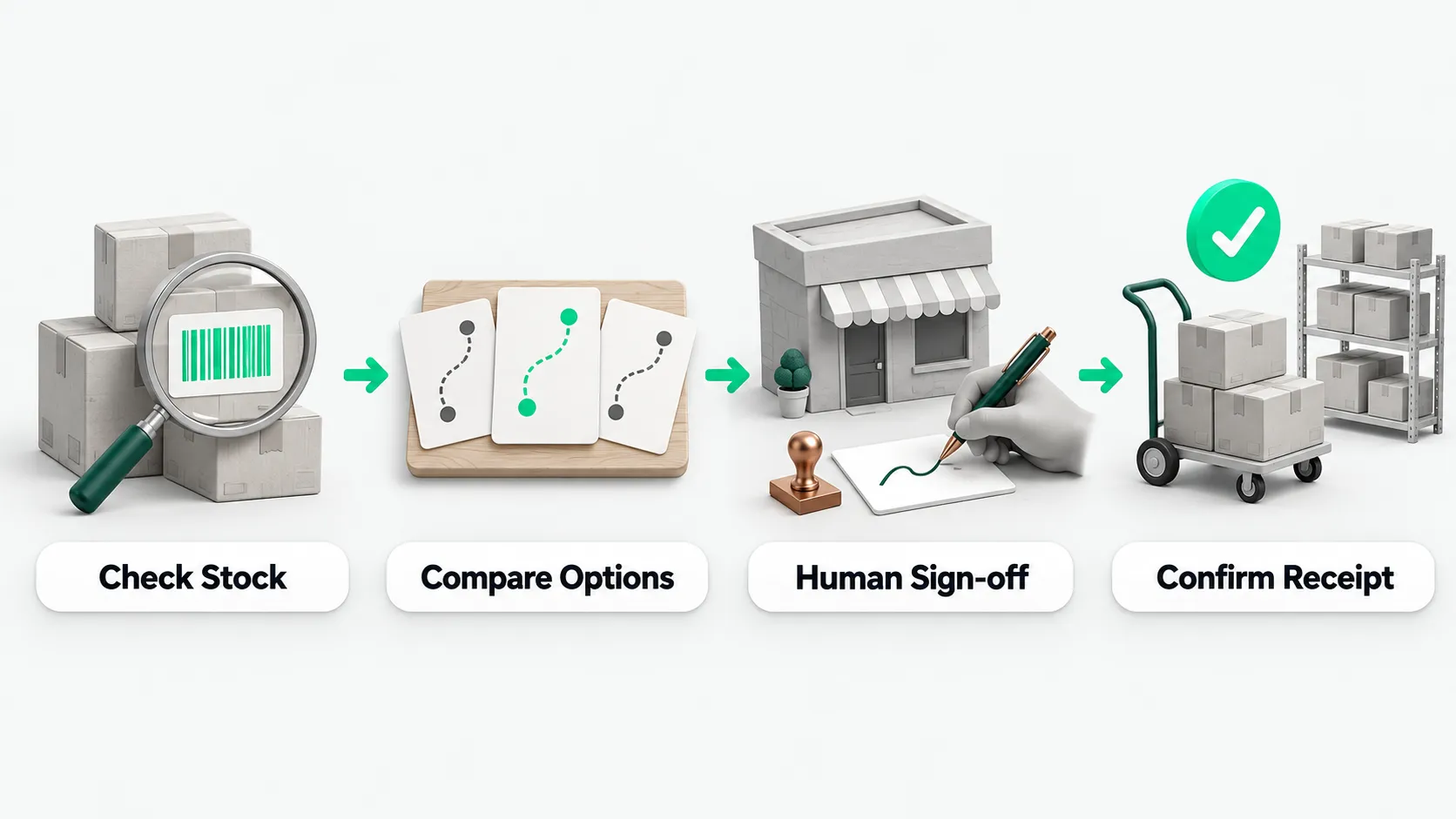
What the agent checks first after a shortage alert
When a store or warehouse triggers a shortage alert, the supply chain agent first reads base inventory and sales data for every warehouse and store from the business systems. It pulls four kinds of stock: on hand, available, reserved, and in transit, along with sales velocity and safety stock at each location. Before calculating any option, it checks product codes. The same product may have different codes in the head office system, the store point-of-sale system, and the e-commerce back end. Transfers cannot be calculated until the data definitions match.
Once the base data is complete, the agent calculates how much can be transferred without drawing the source location below its own safety stock. The supply chain agent only reads data and does the math. It does not change inventory figures or the optimization targets the company has set. A transfer between warehouses and stores often covers only a few days. Along with the transfer quantity, the agent can be set to remind the planner and the merchandise owner to assess replenishment. Replenishment itself goes through a separate process.
How to present transfer options to the planner
A transfer option given to the planner spells out everything needed to execute it: source location, receiving location, quantity, estimated arrival time, and how long the goods will last after arrival. To help the planner and merchandise owner compare, the system can present several options at once:
- Transfer only from the top-ranked locations: pick the highest-ranked warehouses or stores as sources and make up the quantity while each keeps its safety stock.
- Transfer from every eligible location: include every warehouse and store with spare available stock that meets the transfer conditions, and total the available quantity.
- Planner picks: skip the preset combinations. The planner selects the source and destination on screen and enters the quantity.
The agent runs inventory queries and option comparisons on its own. When it reaches an action that changes business system data, such as creating a transfer order, the process stops at approval. The approval screen states the action to be executed and its actual parameters, and the planner or supervisor allows or rejects it.
Which stock transfers always go to a person to sign
Transfer suggestions are much more sensitive than routine replenishment suggestions. Which warehouse bin or store the goods are taken from directly affects the performance reviews of several warehouse leads and store managers. A common practice is to collect transfer suggestions into one daily list for the regional manager or warehouse and distribution lead to review together. Urgent shortages use a fast track that still keeps human confirmation. Small transfers within a limit the supervisor has set can be configured for the system to release within that limit. The supervisor defines what amount or quantity counts as small. Whether an operation is permitted is checked by the company’s own business systems, not decided by the agent.
In the following three cases, a transfer always goes to a person to sign. The agent only routes it and cannot sign on anyone’s behalf:
- Over the single or cumulative limit: the transfer quantity or value exceeds the limit the supervisor set in advance.
- Transfers across responsible units: the transfer crosses legal entities, or goods move into or out of franchise stores.
- Data or fulfillment anomalies: data conflicts between systems, the previous transfer arrived only in part, approval timed out, or the case is an exception current policy does not cover.
For how to make the process stop and hand over to a person when data conflicts, goods arrive in part, or policy has a gap, see Agent Safety Guardrails: When to Stop an Unattended Run.
When a transfer counts as done, and what to record
A transfer counts as done when three checks pass: the source location has shipped the goods, the receiving location has received them, and the next data read confirms the receiving location is no longer short. A transfer suggestion alone, a human approval alone, or a transfer order sent to the system alone does not count. For why to start with use cases like this, where shipping, receipt, and the data read can each be verified on the spot, see Choosing Enterprise AI Use Cases: Start With Work You Can Verify on the Spot. If the next read shows the shortage has not improved, the agent produces the next option, or hands the case to a person with the inventory and in-transit evidence from that time.
The whole process is recorded in the business system: the suggestion, the policy it relied on, the data version it read, who approved or changed the numbers, the reason for each change, and the final shipping and receiving results. When the team reviews shortage cases at month end, the record shows whether the suggestion was off, whether store POS or e-commerce data arrived late, or whether the site did not follow the approved option.
Supply chain agents: FAQ
Head office, stores, and the e-commerce back end use different product codes. How does the agent calculate transfers?
It cannot calculate until the codes are aligned. The same product may have a different code in each system, and pulling data directly would mix up on-hand, available, reserved, and in-transit stock. The company first sets up a single code mapping. The agent reads inventory, sales velocity, and safety stock at each location under that mapping, then calculates how much each source can release.
The approval passed and a transfer order was created. Is the transfer finished?
No. A suggestion, an approval, or a transfer order is only an intermediate step. The transfer is finished only after the source location ships, the receiving location receives, and the next inventory read confirms the shortage is cleared. If the read shows a partial arrival or the shortage has not eased, the agent produces another option or hands the case to a person with evidence.
A transfer needs stock from another store, and that store manager objects. What happens?
Transfers that affect a store manager’s performance review or cross responsible units go to the regional manager or warehouse and distribution lead with authority, according to the company’s responsibility matrix. The agent only routes the request. On the approval form it attaches the source store’s current available stock, its remaining stock after the transfer, and its own safety stock, showing the transfer will not take it below safety stock. If the store manager or approver still objects, the reason for rejection and anyone who changed the numbers are recorded, and the planner picks another source option.