
Enterprise AI
Company Seal Approval Agents: Which Steps Stay With People?
When a company uses a seal approval agent for electronic seal requests, the agent can check request fields, compare the file against the approved final version, and route approvals. Approving or rejecting, legal review of the official company seal and external commitments, signing-intent authentication, and the actual stamping stay with authorized people.

Chinese companies authorize contracts and official documents with company seals, also called chops. A seal is a stamp registered to the company, and a document carrying it binds the company the way a signature binds a person. A company usually holds several seals: the official company seal, a contract seal, an HR seal, and others. Most companies now use electronic seals on an e-signature platform alongside or in place of physical ones.
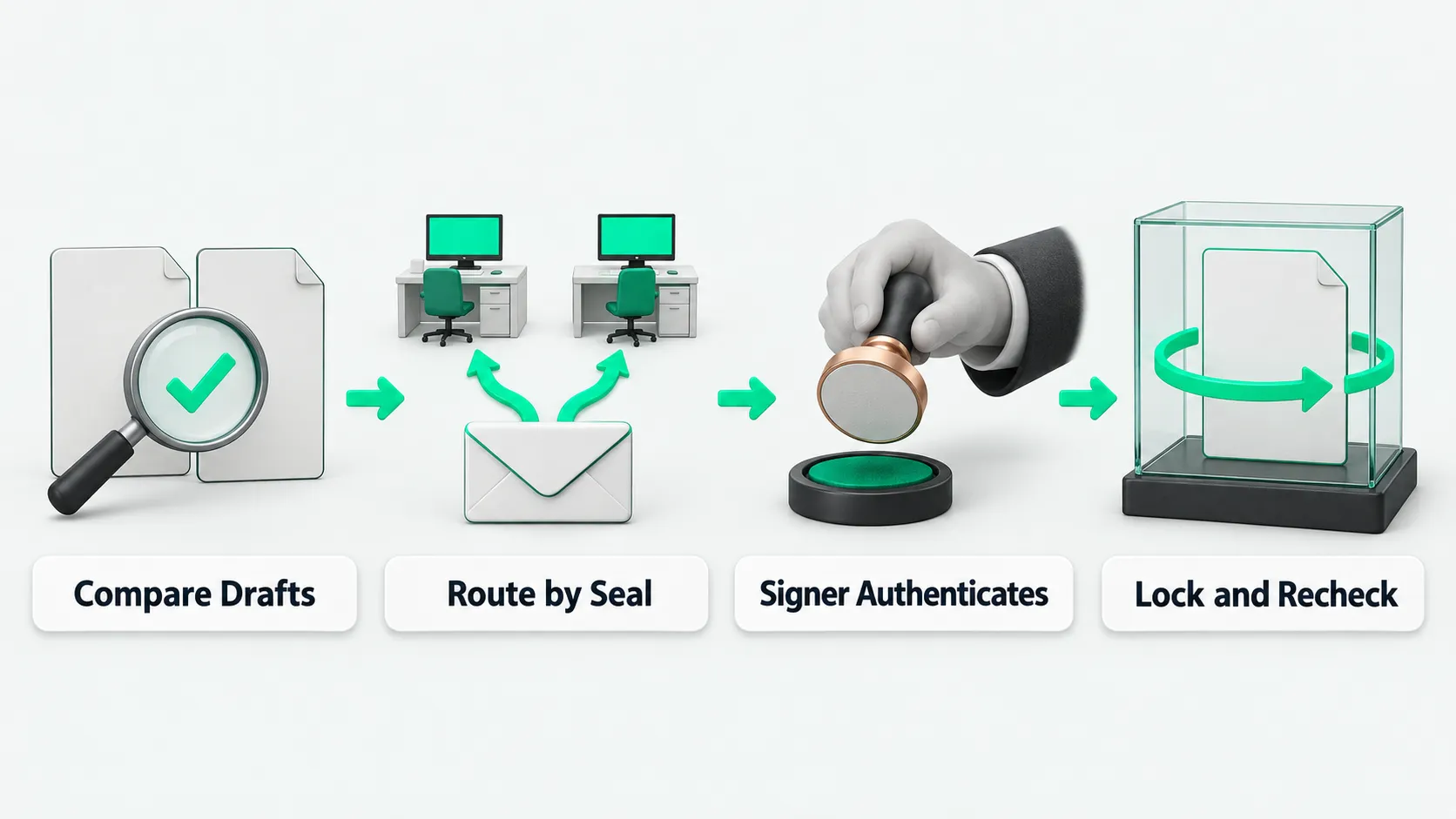
A seal approval agent can take over several steps: checking the fields on a seal request, comparing the file to be stamped against the approved final version, sending the request to approvers by seal type, and chasing progress and keeping records. Several steps before stamping stay with people. Approvers read the file and decide to approve or reject. Legal reviews requests for the official company seal and documents that make external commitments. For electronic seals, signing-intent authentication and the final stamping are done personally by someone who holds seal authority. Seal authority is not granted to the agent’s account.
What to check first when a request comes in
A staff member without seal authority creates a signing task in the system, picks the seal to use, and submits a seal request. The seal approval agent then runs pre-checks. It checks each required field on the request: the attached file to be stamped, the stated purpose, the seal type requested, the number of copies, and the name of the counterparty entity. A request with missing fields or an attachment that will not open goes straight back to the requester to complete. It is not pushed to any approver.
Once the fields are complete, the agent compares the full text of the uploaded file against the final version approved earlier in contract review or business approval. If the file changed after approval, in clause wording, amounts, dates, or attachment pages, the flow stops and the request goes back through approval. For how to decide which pre-checks can pass automatically and which must stop and go to a person, see Agent Tool Call Auto-Approval: Which Calls to Allow or Block.
Which rules decide who approves
A company’s electronic seal system can branch on seal type and requester. It can also use a separate approval template for each seal, so the HR seal, the contract seal, and the official company seal each go to their own approvers.
The seal approval agent reads the seal type and requester on the request and routes the task to the matching approval step under the preset template. For example, the HR seal goes to the head of HR. A contract seal for routine business contracts goes to the head of the relevant business unit and to legal. Requests that use the official company seal, or that sign high-risk documents such as external commitment letters or guarantee letters, always go to legal and then up through company management, level by level.
The notified approver opens the file in the system, checks the business context and the comparison report, and personally clicks approve or reject. The agent only delivers the file, the comparison result, and reminders to the approver. It does not click approve for any approver at any level.
Why the stamping step stays with a person
After every approval step passes, the request moves to the actual stamping. An agent cannot do this step. Article 14 of China’s Electronic Signature Law gives a reliable electronic signature the same legal effect as a handwritten signature or a seal. Article 13 lists the conditions for reliability, and two of them apply here: when used for signing, the signature creation data belongs exclusively to the signatory; and at the time of signing, the signature creation data is controlled only by the signatory. When a person with seal authority does the stamping personally, the company can show who was in control under those two conditions.
On the e-signature platform there are two cases after approval. If the approver holds authority for that seal, the approver performs one more signing-intent authentication after approving, and the seal is applied. If the approver has no authority for that seal, the signing task shows the seal as pending. The system adds the seal administrator who holds that authority to the signing task. The seal administrator checks the approval record, completes the signing-intent authentication, and applies the seal.
When a company assigns system permissions, it binds seal custody and seal use only to named seal administrators or authorized approvers. It does not grant seal authority to the agent’s service account. It also does not let the agent borrow an employee’s account to skip intent authentication. For how to manage identity and permission boundaries when an agent calls systems for employees, see Agent Authentication: Whose Permissions Apply When Calling Systems for Employees?.
Records after stamping, and guarding against file changes
Article 13 lists two more reliability conditions: any change to the electronic signature after signing can be detected, and any change to the content or form of the data message after signing can be detected. So a stamped file must be verifiable for tampering, and the verification result is archived with it.
The seal approval agent archives the full chain for each request, from submission to stamping. The record holds the original request, the comparison result against the final version, each approver’s decision with comments and timestamps, the signing-intent authentication record, the seal administrator who applied the seal, and the archived file with the electronic seal. If the agent finds before stamping that the requester replaced the approved final version, the system can be set to void the pending task. The requester then submits a new approval with a note explaining the change.
Seal approval agents: FAQ
The approver already clicked approve. Why authenticate again at stamping?
Clicking approve is an internal approval. It means the approver agrees that this seal may be used. Signing-intent authentication confirms, at the moment of stamping, that the person operating is the authorized person. Article 13 of the Electronic Signature Law lists “at the time of signing, the signature creation data is controlled only by the signatory” as one reliability condition. The record from this authentication shows who was in control at stamping.
If the approver has no seal authority, how does the seal get applied after approval?
When the approver has no seal authority, the seal position on the file shows as pending after they approve. The seal approval agent follows the rules and adds the seal administrator who holds that seal’s authority to the signing task. The seal administrator confirms that all prior approvals passed, then personally completes signing-intent authentication and applies the seal.
Can an agent apply an electronic seal directly?
No. Electronic seals fall under the Electronic Signature Law. A reliable electronic signature requires that the signature creation data belong exclusively to the signatory and be controlled only by the signatory at signing. Do not grant seal authority to the agent’s account. The agent can check request fields, compare against the final version, route approvals, and archive records. The final signing-intent authentication and stamping must be done in person by someone with authority.