
AI Safety
Agent Sandbox Selection: OpenSandbox or sandbox-runtime?
To choose an Agent sandbox, first decide what you are isolating. To limit a coding Agent's reads, writes, and network access on your own machine, use a process-level tool such as sandbox-runtime. To run untrusted code, run batch evals, or serve many users, use a full runtime with separate containers or virtual machines, such as OpenSandbox.

To choose an Agent sandbox, first decide what you want to isolate. If a developer lets a coding Agent edit a local repository on their own computer and only wants to limit what it reads, writes, and connects to, start with sandbox-runtime. If the Agent needs a separate environment that is thrown away after use, to run untrusted code, open a browser or desktop, run evals in batches, or serve many users, use OpenSandbox. Both open-source projects are licensed under Apache-2.0 and can be combined at different stages.
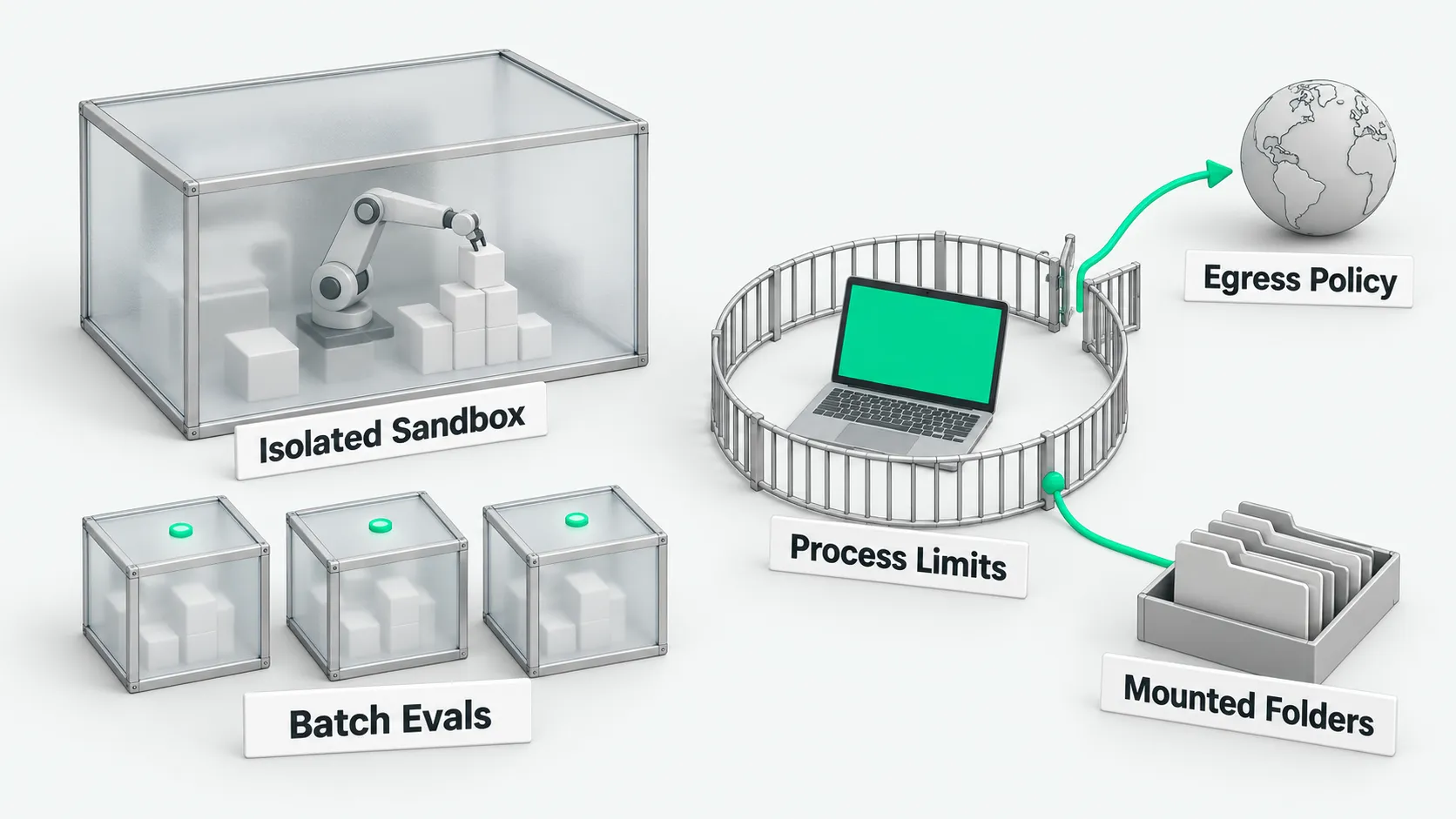
Isolation model: a separate environment or process limits
According to the OpenSandbox repository, OpenSandbox provides a sandbox runtime for AI Agents. In the default configuration, each sandbox is a Docker container or a Kubernetes Pod, and the default runtime is runc. The server can be switched to secure container runtimes such as gVisor, Kata (based on QEMU), or Kata with Firecracker. According to the secure container guide, this is a global server setting that applies to every sandbox, and the SDK needs no code changes.
OpenSandbox also has a Fast Sandbox backend in which each sandbox is a KVM virtual machine. According to the Firecracker architecture docs, it runs Firecracker microVMs in pre-warmed Kubernetes Pods and restores them from snapshots. The host must be KVM-capable Linux bare metal, or a virtual machine with nested virtualization enabled and /dev/kvm exposed. OpenSandbox can also start Windows guests. One point to watch when choosing a secure runtime: the official docs state that egress control supports Kata and does not support gVisor.
According to the sandbox-runtime repository, sandbox-runtime, developed by Anthropic, uses no containers. It limits the whole process tree at the operating system level. According to the how it works section, on macOS it calls the built-in sandbox-exec with dynamically generated Seatbelt rules. On Linux it calls bubblewrap with a separate network namespace. Windows is in alpha. Processes still run directly on the host system.
For deployment, OpenSandbox is a service made of a Lifecycle Server, an execution process inside the sandbox, and a sidecar. It provides five SDKs (Python, Java/Kotlin, TypeScript, C#, and Go), the osb command line, and an MCP server. It supports resource pools and batch startup, and covers data analysis, browser automation, and multi-tenant isolation. For file isolation when several users share one machine, see Do Grok Bots Share Files? Isolating Bots on One Cloud Computer. For preparing test data when you start sandboxes in batches for Agent evals, see Agent Test Environment: Use Synthetic Data Before Connecting a CRM?. According to the sandbox-runtime README, sandbox-runtime is a single-machine command-line tool and TypeScript library. You start it with srt <command>. It has no cluster scheduling and no multi-tenant management plane.
How to run them on a Mac
On macOS, sandbox-runtime uses the built-in sandbox-exec. The official docs say the system only needs ripgrep installed. After installing with npm install -g @anthropic-ai/sandbox-runtime, you can use srt "<command>" to limit a local process.
According to the security limitations section, sandbox-runtime has two stated boundaries on a Mac. On macOS, git over an SSH remote fails, and the docs recommend switching to HTTPS. If you turn on the allowAppleEvents setting, you lose code execution isolation.
OpenSandbox on a Mac needs Docker first. According to the installation docs, the server supports Linux, macOS, and WSL2, and needs Python 3.10+ and Docker Engine 20.10+ installed locally. To initialize locally, run uvx opensandbox-server init-config ~/.sandbox.toml --example docker to generate the configuration, run uvx opensandbox-server to start the service, then create sandboxes with the SDK. On a local Mac, the server calls the Docker engine and every sandbox instance is a Docker container. The Fast Sandbox architecture needs a Linux host with KVM.
How local files and network boundaries are managed
sandbox-runtime controls whether paths on the local machine can be read or written. The policy is saved by default in ~/.srt-settings.json. It specifies which local directories may be read and which may be written. For path configuration rules, see Local Agent Sandboxes: Which Directories Can It Read and Write?.
An OpenSandbox sandbox has its own file system. The caller reads and writes sandbox files through the SDK’s files API. According to the mount docs, sharing data between the host and a sandbox requires mounting through the Volume API, with read-write, read-only, and subpath mapping. The server limits host paths with an allowed_host_paths allowlist. The docs warn that an empty allowlist allows mounting every host path, so set it explicitly in production.
For networking, sandbox-runtime denies all outbound connections by default. It allows them through an allowedDomains allowlist, and deniedDomains blocks take precedence. Traffic is routed through HTTP and SOCKS5 proxy services on the host. According to the limitations section, on Linux traffic is routed by environment variables such as HTTP_PROXY, so programs that ignore them cannot reach the network. TLS is not decrypted by default, and broad domain rules can be bypassed with domain fronting.
OpenSandbox configures a network policy per sandbox. According to the egress architecture docs, a sandbox declares networkPolicy at creation, and the policy can be updated while it runs. An egress sidecar that shares the network namespace enforces DNS-level filtering, or optionally nftables packet-level default deny. Rules support domains, wildcards, single IPs, and CIDR ranges, and the platform can set fallback rules. If rule injection into the sidecar fails, the sidecar exits on its own and does not run unfiltered.
How to connect MCP and developer tools
OpenSandbox and sandbox-runtime connect to the MCP protocol and Claude Code in different directions. According to the MCP docs, OpenSandbox provides an MCP server. After installing with pip install opensandbox-mcp, add it in Claude Code with claude mcp add opensandbox-sandbox --transport stdio -- opensandbox-mcp --api-key "$OPEN_SANDBOX_API_KEY" --domain "$OPEN_SANDBOX_DOMAIN". It supports creating sandboxes, running commands, and reading and writing text files in the sandbox.
According to the Claude Code example, a team can also deploy Claude Code directly into a sandbox container and run it headless with claude -p. The official examples directory also has Codex CLI and Gemini CLI examples.
sandbox-runtime is used to wrap local MCP servers. According to the sandboxing MCP servers example, in .mcp.json change "command": "npx" to "command": "srt" and move the command arguments into args. You can then use ~/.srt-settings.json to limit its read and write permissions and network domains. For what to check before connecting, see MCP Security Risks: Which 4 Items Should You Review Before Connecting?. According to the Claude Code sandboxing docs, Claude Code’s built-in Bash sandbox is built on sandbox-runtime. To constrain the whole process, the docs recommend a container, a virtual machine, or wrapping it with srt.
Technical leads can use these rules to choose:
- Single-machine coding: process protection. To edit a local Git repository on a personal computer, use sandbox-runtime to limit read and write paths and outbound domains. No Docker needed.
- Unknown code and evals: a separate sandbox. To run scripts of unknown origin, do browser automation, or run Agent evals in batches, use OpenSandbox so the code runs in a container or virtual machine.
- Use cloud and local separately. For central scheduling in the cloud, use OpenSandbox to manage isolated containers. For local terminals and local MCP servers, use sandbox-runtime to limit permissions.
Agent sandbox selection: FAQ
How fast does OpenSandbox start?
According to the performance test docs, on a two-node Kubernetes cluster on Alibaba Cloud ACK, for warm starts of Firecracker microVMs with the template cached and capacity pre-warmed, serial creation inside the cluster had a P50 latency of 64 milliseconds. A serial retest under the same conditions gave a P50 of 77.9 milliseconds. The docs state that this is an engineering measurement, not a production latency guarantee. The number was not measured on a Mac or in local Docker mode. The docs give no startup number for local Docker mode, and sandbox-runtime gives no official startup time either.
How mature are the two projects, and can they be used together?
Both use the Apache-2.0 open-source license and can be combined at different stages. The sandbox-runtime README labels it Beta Research Preview and says the API and configuration format may change. The latest release is v0.0.81, released on October 20, 2026, and the npm package name is @anthropic-ai/sandbox-runtime. OpenSandbox has a stable release, release-1.1.1, from October 9, 2026, and a pre-release, release-1.2.0-rc.2, from October 21, 2026. A cloud scheduling cluster can use OpenSandbox to provide standard containers, and personal workstations can use sandbox-runtime to limit local scripts and tools.
Can sandbox-runtime run locally on a Mac?
Yes. sandbox-runtime runs locally on macOS. It uses the system’s native sandbox-exec with Seatbelt policies to limit processes, and the local environment only needs ripgrep installed. After a global install with npm install -g @anthropic-ai/sandbox-runtime, run srt "<command>" to start the isolated environment. Note the two limitations in the docs: on macOS, git over an SSH remote fails, and the docs recommend switching to HTTPS. If you turn on the allowAppleEvents setting, you lose code execution isolation.