
Enterprise AI
When an Expense Claim Agent Rejects a Claim, Who Hears the Appeal?
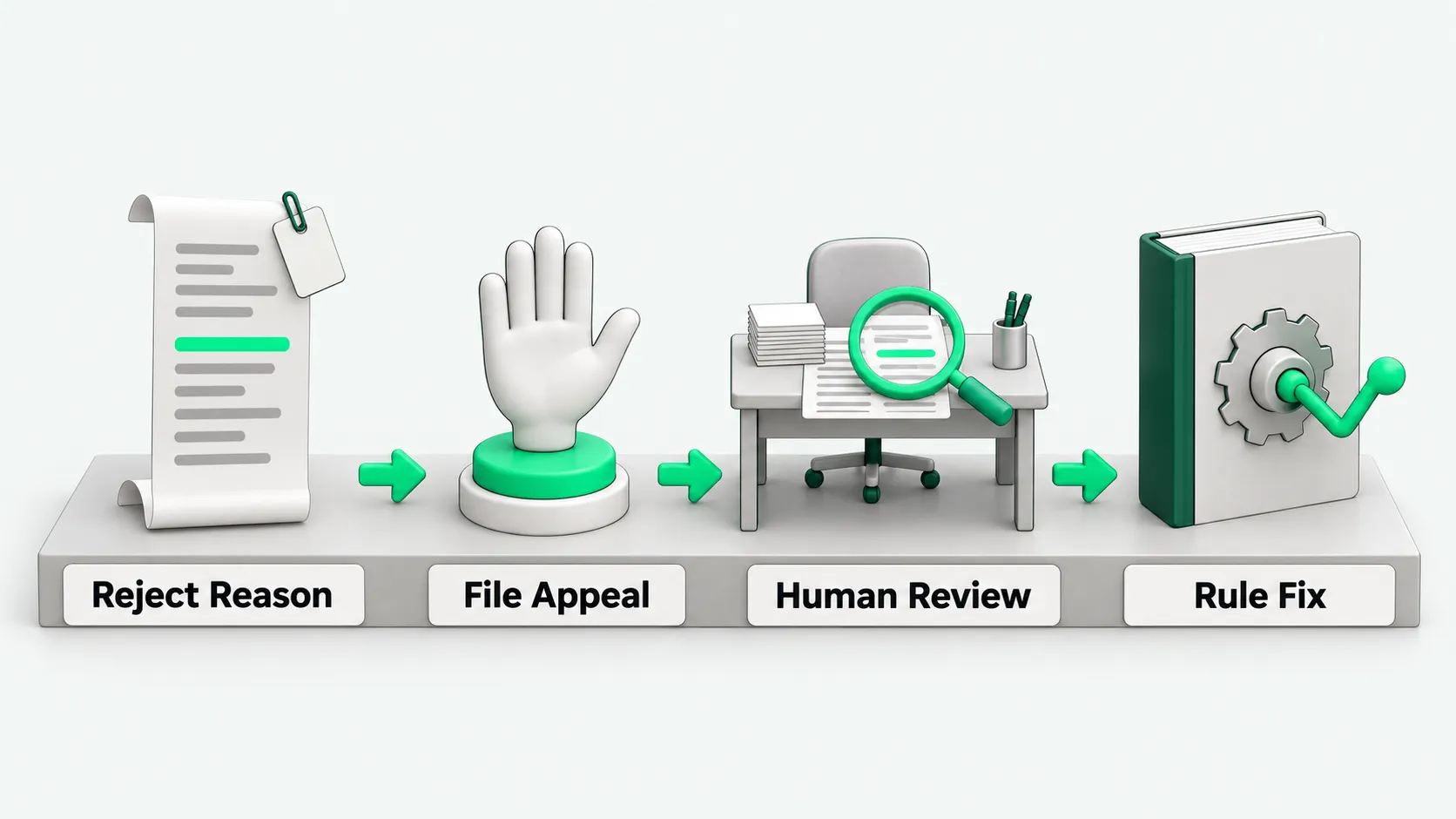
When an expense claim agent reviews receipts and line items and rejects a claim, it must cite the specific expense review rule it hit. The company also needs a human second-review appeal channel with a named handler, a response time limit, and a loop that corrects the rules. Every rejection and reversal is logged.

When an expense claim agent rejects a claim, the page must state which expense review rule it applied and which receipt or field exceeded the limit. If the employee disagrees with the rejection, they click Appeal in the expense system, and the claim goes to a designated human reviewer for a second review. The company sets in advance, under its finance policy, who takes appeals, how fast they get a reply, and who signs special approvals. The outcome of each human review is stored and used to correct the expense review rules on a regular schedule.
What a rejection notice must state
An employee who gets a rejection notice that only says “Review failed” does not know whether to replace a receipt, change an amount, or add an explanation, and has to keep asking finance. When the expense claim agent rejects a claim, the rejection card must list four items together: the number and full text of the expense review rule that was hit; the specific field that triggered the rejection (such as the nightly hotel rate, the buyer name on the invoice, the invoice date, or the spending category); the value the system read from the receipt; and the actions the employee can take next.
If the problem is only a missing attachment, a wrong expense account, or a wrong amount, the employee fixes it as prompted and resubmits. No appeal is needed. The employee clicks the File Appeal button on the rejection card only when they believe the agent misread the receipt, or when a business trip or client entertainment ran into a special case the policy allows. That moves the claim to a person. For the key control points in the finance process from document matching to payment release, see AP Invoice Agents That Also Pay: Which Controls Can’t Be Skipped?.
Who reviews an appeal and how fast they reply
After the employee clicks Appeal, the claim must not go back to the expense claim agent and circle in place. The system sends it straight to the human second-review queue. The handler depends on the reason for the appeal:
- Receipt-reading disputes: a handwritten invoice, a foreign receipt, or a folded seal that the agent misjudged as a wrong amount or a fake receipt. These go to an expense accountant in the shared finance service center, who checks the image by hand.
- Business exception disputes: a hotel rate during a trade show that exceeds the normal travel standard, or change fees from an urgent rebooking. The system asks the employee to add the reason in the appeal field and attach a confirmation record from their business supervisor. The claim then goes to the department head and the finance manager, who sign according to amount tiers the company sets itself.
The company presets the response time limit for appeals in the system. When an appeal passes the limit without action, the system reminds the finance manager to follow up, so money the employee paid out of pocket does not stay stuck in rejected status.
How human reversals feed back into the rule set
After a reviewer handles an appeal, whether they uphold the rejection or reverse it, they must select a cause tag in the system. The finance team regularly pulls the rejections that people reversed and groups them. They usually fall into three types.
The first type is an outdated parsing template. A local invoice layout or an itinerary receipt changed format, and the agent picked up the wrong amount field. Technical support adjusts the receipt parsing template.
The second type is a rule written too rigidly or missing an exception. The travel policy already has a clause that lets colleagues who share a room combine their room-rate allowances. The expense review rule configured in the system only blocks by a per-person, per-day cap. The finance policy owner adds the shared-room condition to the rule configuration.
The third type is a gray area the policy itself does not cover. The finance department collects the scenarios that cause frequent disputes, revises the formal expense management policy, and then updates the agent’s decision logic. For building permissions, appeals, and audit loops before expanding agent automation, see AI Agent Security Governance Must Come Before Scaling.
How rejection and appeal records are kept for audit
For every claim the expense claim agent processes, the system keeps a full processing record. The record includes: the originally submitted images and line items, the time of the agent’s first review, the version number of the rule hit in that review, the original text of the rejection reason, the time the employee filed the appeal and their added explanation, the employee ID and decision of the human second reviewer, and the sign-off record of any special approver.
When internal audit or external auditors sample expense compliance, they can filter directly for claims “rejected by the agent, then released by a human reversal.” They check whether the reasons for overturning the machine’s decision are sufficient and whether the special approval paperwork is complete. This keeps legitimate business exceptions and stops people from using the human appeal channel to get around finance controls.
Expense claim agents: FAQ
If the employee and their direct manager both approve the claim, can they skip the expense claim agent’s rejection?
The business department cannot skip it on its own. The expense claim agent enforces the company’s unified finance control baseline. A business manager’s approval only shows that the business activity really happened. An over-limit or non-compliant claim still goes through the appeal channel and must be reviewed by a finance reviewer. A claim above the set threshold also needs sign-off at a higher level under the company’s authority matrix before it is booked and paid.
When one claim has both compliant and over-limit items, does the agent reject the whole claim or only the over-limit items?
It depends on what the company’s expense system supports. In a system that can split claims by line item, the agent first releases the compliant lines into the payment pool. It splits out only the problem lines, rejects them, and allows a separate appeal for them. In a system that cannot split claims, the whole claim is returned, but the rejection page highlights the non-compliant lines. After the employee fixes them or wins the appeal, they do not have to re-enter the other compliant items.
Who maintains the expense review rules, and how do changes take effect?
The policy management role in the finance department maintains the expense review rules, and the system administrator helps configure them. Business departments cannot change them. Each time the company adjusts travel standards, adds or removes accepted receipt types, or adds exception clauses, it first runs a simulated review on historical claims in a test environment and checks the false-block rate and the miss rate. After the finance lead confirms the results, a new version number is published and the effective time is recorded. Claims submitted after that time are reviewed under the new version of the expense review rules. Claims submitted earlier stay on record under the rule version in force when they were submitted.