
Enterprise AI
AI Customer Service Knowledge Base Out of Date? How to Retire Old Answers
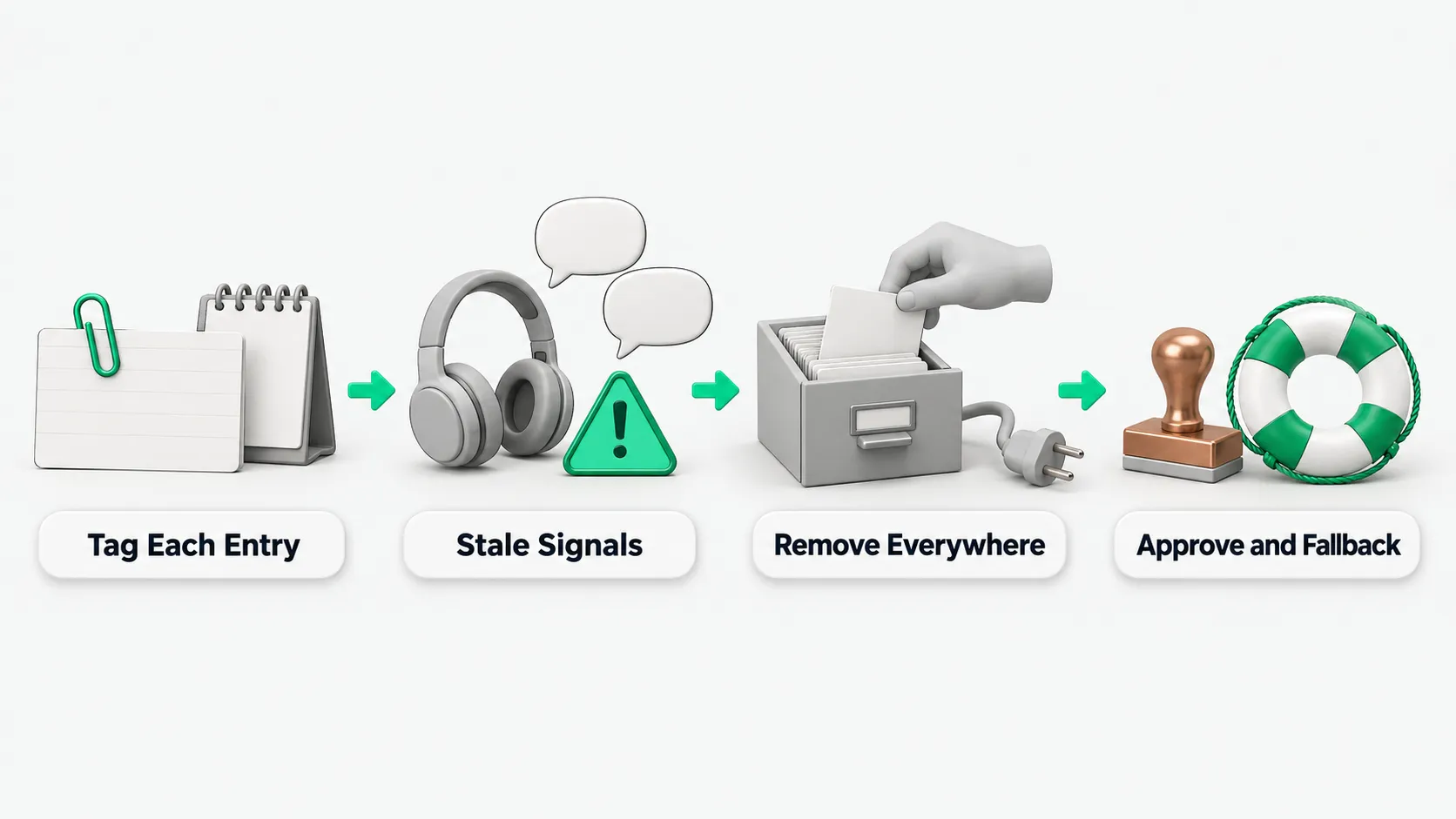
When a company runs a knowledge base for AI customer service, it records each entry's owner, effective and expiry dates, and version status. It spots stale knowledge through signals such as handoffs to human agents, repeated follow-up questions, and frontline rewrites. After production retrieval and derived caches are cut off, the entry owner decides whether to retire or replace the entry.

To clear old answers from an AI customer service knowledge base, the company uses dates and status in the metadata to stop expired entries, then uses everyday support signals to catch stale content that slipped through. The AI does not decide on its own which knowledge is stale, and it does not rewrite knowledge itself. The system can list suspect entries by signal, and downgrade or disable entries at expiry by the company’s rules. The entry owner decides whether to revise, take down, or suspend an entry. The business owner settles version conflicts. Other notes on this site cover why tickets still need human review after customer service auto-closes them, and why to connect the company knowledge base before fine-tuning an industry model. This note covers only how to find and retire old answers once knowledge goes stale.
What to record for each knowledge entry
Each entry records seven items when it enters the knowledge base: owner, source, version status, scope, effective date, expiry date, and review date. The owner is a named person, not just a department, so someone picks it up when the entry expires or gives a wrong answer. For why company knowledge needs its source, version status, and scope, see Enterprise Context Engineering: Making Company Knowledge Usable by AI Agents. Data that changes all the time, such as prices, inventory, and order status, is read live from the business systems. It is not turned into documents in the knowledge base.
An entry’s version status has five values: draft, active, pending review, expired, and archived. Expired entries are excluded from retrieval. The status field must be written into the metadata used for retrieval. A status column in the admin list alone does not stop recall. The three dates are kept separate. The effective date sets when the entry starts to apply. After the expiry date the entry is disabled. The review date only asks the owner to confirm the entry again.
For entries that pass the review date without confirmation, the system can handle them in tiers by the company’s own risk levels:
- High-risk content: if no one confirms by the review date, it is suspended from retrieval and no longer returned to users.
- General content: if unconfirmed at the review date, its retrieval ranking drops and the interface flags it as pending confirmation.
- Low-risk reference material: it can keep appearing after the review date, marked as overdue for review.
Which signals reveal old answers
Stale knowledge in production comes in three kinds. Hard staleness: a policy, price, or time limit changed but the entry did not. Soft staleness: the content is still correct, but a precondition changed, such as a redesigned entry point for an operation. Wording staleness: the facts are still right, but the old phrasing no longer fits. Expiry and review dates catch hard staleness. The other two need links to business change processes and support signals.
A lot of knowledge goes stale right after a business action: a new product version, a changed approval process, a new contract template, or a reorganization. When a business unit starts a change, the knowledge update goes into the change process. Before the change ticket closes, the matching knowledge task is completed or a written exemption is recorded.
Old answers the change process misses show abnormal signals in everyday support:
- Quick handoff after an answer: the user clicks to reach a human agent right after the AI answers.
- Repeated follow-ups on one question: the user keeps asking about the same question because the original steps do not work.
- Human agents rewrite the answer: a frontline agent does not copy the knowledge base and rewrites the answer.
- Negative session ratings: the user leaves a comment such as “that’s not how it works”.
Customer service operations group these signals by the knowledge entry the AI cited and build a to-do list. For how handoff signals work with ticket review, see AI Customer Service Auto-Close: Why Tickets Still Need Human Review. An entry hit by signals repeatedly goes on the inspection list. The entry owner decides on the spot whether to revise, take down, or suspend it. A suspension must state the reason and the condition for lifting it. Taking an entry down stops the loss first: the wrong answer stops being returned to users.
Where to remove an entry from when retiring it
Retiring an old answer means cutting it off from retrieval. First exclude the original from production retrieval. Then invalidate every chunk, vector, summary, Q&A pair, and cache generated from it. Finally, check the search and Q&A entry points to confirm it is no longer returned. Moving it into an archive folder leaves the chunks and caches in place, so it has not left the knowledge base. Urgent wrong content can be set to be disabled and blocked on the spot, without waiting for the next full reindex.
Each retirement leaves a takedown record with the reason, operator, approver, replacement content, and effective time. When content has been reused in training materials or suggested replies for agents, the owners of those materials are notified to recheck them after the source knowledge expires. After an entry is updated or retired, customer service operations run a fixed set of questions as a regression test to confirm the new answer is found and the old version is no longer recalled.
Who decides to retire an entry, and how the AI answers afterward
The AI does not judge on its own that a knowledge entry is stale, and does not edit entries itself. It can be set to filter a list of suspect entries by signal, and to downgrade or disable entries at expiry under the company’s rules. The knowledge entry owner decides whether to revise, take down, or suspend. When two versions with conflicting conclusions appear in the same scope, retrieval can be set to flag the conflict and suspend the related answers. The business owner settles it and sets one current version, and the old version becomes history.
While an old answer is taken down or suspended, the online fallback is set up at the same time. When content is taken down because it is disputed, do not let the model fill the gap with general knowledge. It says plainly that there is no confirmed basis right now, or hands over to a human agent. Everyday fallback rules can also be set this way: if the matched entry is past its expiry date, or has recently been hit by handoff signals several times, the AI does not answer directly and hands over to a human agent.
AI customer service knowledge bases: FAQ
When a product or approval process changes, how do you stop the knowledge base from serving old answers?
Put knowledge updates into the business change process. When a new product version ships, an approval process changes, a contract template is replaced, or the organization changes, the matching knowledge task must be completed or exempted in writing before the change ticket closes. Data that changes often, such as prices, inventory, and order status, is read live from the business systems instead of stored as documents in the knowledge base.
Why does the AI still give the old answer after the old page was moved into an archive folder?
Moving a page into an archive folder only changes its folder location. It is still in the knowledge base. Retiring an entry means setting its status to expired and writing that into the retrieval metadata, excluding it from production retrieval, invalidating the chunks, vectors, summaries, Q&A pairs, and caches it generated, and running fixed regression questions to confirm search and Q&A no longer return the old version. When training materials or suggested replies reused the content, notify their owners to recheck after the source knowledge expires.
If knowledge has expired and no one has confirmed it, can the AI still use it to answer?
Look at the expiry date and the review date separately. After the expiry date the entry is disabled, and expired entries are excluded from retrieval. Fallback rules can also make the AI hand over to a human agent instead of answering when it matches an expired entry. If only the review date has passed without confirmation, the risk can be handled in tiers set by the company. High-risk content is suspended from retrieval. General content drops in ranking and is flagged as pending confirmation. Low-risk reference material can keep appearing, marked as overdue for review.